
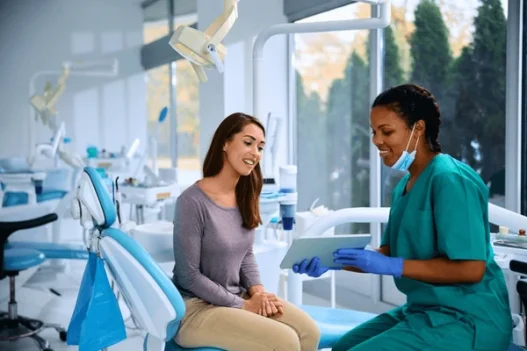
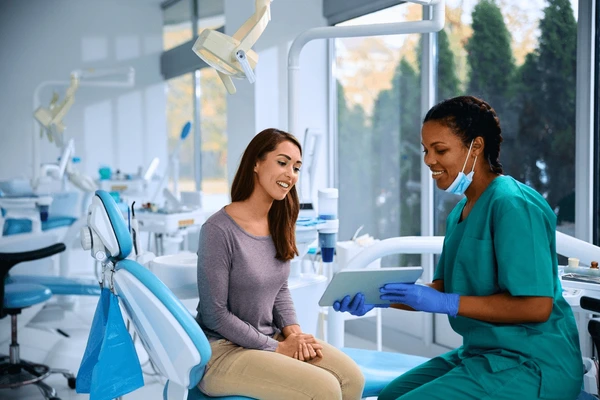
Clear aligners move your teeth in small steps. You need steady guidance to keep that movement on track. Virtual dental check ins give you that support without constant office visits. You share photos, short videos, and simple notes from home. Your orthodontist reviews your progress, checks fit, and adjusts your plan when needed. You get clear feedback. You know what is working and what needs attention. This routine protects your time and your teeth. It can also catch trouble early, before pain or damage grows. For many patients, it feels safer to ask questions from home. You can show problems as they appear. You do not wait for the next appointment. If you search for orthodontist Torrance CA, you will see more offices using this method. Virtual check ins do not replace in person care. They help you stay connected between visits.
Table of Contents
What A Virtual Dental Check In Really Means
A virtual check in is a short visit that happens through your phone, tablet, or computer. You use a secure app, portal, or email that your orthodontist sets up. You do not drive, park, or sit in a waiting room. You stay in your own space.
During a virtual check in, you usually:
- Answer a few simple questions about comfort and aligner wear
- Upload photos of your teeth from different angles
- Share a short video if your orthodontist requests it
Your orthodontist studies these images and your comments. Then you get clear steps. You learn whether to stay with the current tray, move to the next one, or schedule an in person visit.
Step By Step: How A Typical Virtual Check In Works
Each office uses its own tools. Still, most virtual check ins follow a simple pattern.
- You get a reminder. A text or email tells you it is time for a check in.
- You prepare your teeth. You brush, rinse, and remove your aligners.
- You take photos. You follow a guide that shows how to open your mouth and where to aim the camera.
- You answer short questions. You report how many hours you wear the aligners and if you feel any sore spots.
- Your orthodontist reviews your case. They compare your photos to your treatment plan.
- You receive a message. You learn the next step. You may switch to the next tray, stay on the same tray longer, or book an office visit.
The process often takes less than 10 minutes on your side. The review can happen while you are at work, school, or home.
How Virtual Check Ins Protect Your Health
Clear aligners seem simple. You still face real health risks if teeth do not move as planned. The American Dental Association warns that poor fit or missed checks can lead to gum problems and root damage.
Virtual check-ins help protect you in three key ways.
- Early warning. Your orthodontist can spot reddened gums, gaps that look wrong, or trays that lift away from teeth.
- Better fit. Regular photos show if aligners seat fully on every tooth.
- Faster response. If your bite shifts in a risky way, your orthodontist can stop you from moving to the next tray.
This steady watch lowers the chance of surprise problems later. It also supports good habits, which is one of the strongest tools you have. The National Institute of Dental and Craniofacial Research explains that daily care and early action help prevent many oral problems.
What You Need For A Virtual Check In
You do not need special gear. You only need three things.
- A phone with a camera or a simple digital camera
- Good light from a window or bright lamp
- Internet access to send photos or join a video visit
Some offices share plastic cheek retractors. These simple tools pull your lips away so your teeth show clearly. If you do not have them, you can still take useful photos by smiling widely and asking someone you trust to help.
Virtual Check Ins Versus In Person Visits
Virtual care does not replace hands-on care. Each plays a different role. The table below shows how they compare for clear aligner patients.
| Feature | Virtual Check In | In Person Visit |
|---|---|---|
| Where it happens | Home, work, or school | Orthodontic office |
| Typical time needed | About 10 minutes | 30 to 60 minutes plus travel |
| What your orthodontist can do | Review photos, guide tray changes, answer questions | Take x rays, adjust teeth or bite by hand, place attachments |
| How often it occurs | Every 1 to 4 weeks, based on your plan | A few times each year, or when a concern appears |
| Best use | Routine progress checks, minor comfort issues | New pain, broken trays, slow movement, or complex changes |
| Who it helps most | Busy parents, students, people with long commutes | Anyone needing detailed exams or hands-on care |
Common Problems Virtual Check Ins Catch Early
Many patients feel shy about “bothering” the office. Virtual check-ins remove that pressure. Your orthodontist expects regular updates and can catch common issues early.
- Pain that feels sharp or strange. Some pressure is normal. Sudden or strong pain is not.
- Aligners that will not seat fully. Gaps between plastic and teeth can stall movement.
- Red or swollen gums. This may signal that trays rub or that your cleaning routine needs help.
- Cracked or lost trays. Quick photos help your orthodontist decide if you can move on or need a replacement.
When you share photos right away, your orthodontist can guide you before a small issue grows into tooth damage or infection.
How To Get The Most From Virtual Check Ins
You play a strong role in your treatment. Three habits increase the power of each virtual visit.
- Wear your aligners as directed. Most plans need 20 to 22 hours of wear each day.
- Clean your teeth and trays. Brush, floss, and rinse your aligners with clear water.
- Tell the truth on check in forms. If you missed time or forgot trays, say so. Your orthodontist needs real facts to fix the plan.
Honest updates protect your teeth and your time. They also build trust with your care team.
When A Virtual Check In Is Not Enough
Sometimes you need to be seen in person. You should contact your orthodontist for an office visit if you notice:
- Strong pain that does not ease when you remove the tray
- Bleeding gums that continue after brushing and flossing improve
- Loose teeth that worry you
- Swelling in your face or jaw
- A bad taste or smell that does not clear
Virtual care supports your journey. It does not replace hands-on skills. Clear aligners work best when you use both.

