
1. Introduction
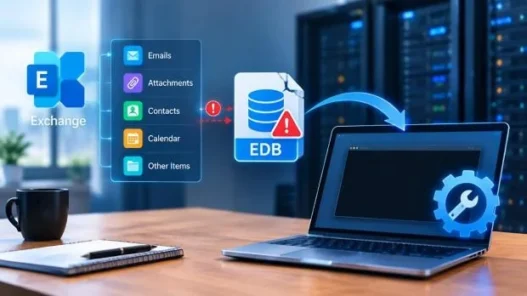
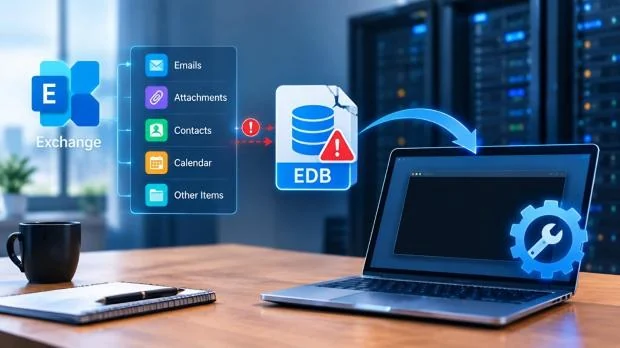
Within Microsoft Exchange Server, mailbox information is stored inside Exchange Database (EDB) files. This includes emails, attachments, contacts, calendars and tasks. These EDB files can contain critical information about a business and are often required to be accessed to support conversion and archiving.
However, accessing mailbox information within the EDB file can be a difficult task, especially if the Exchange Server is no longer available. Time, technical knowledge and resources may also be required to set up an Exchange environment to gain access to mailbox information.
Thankfully there are EDB conversion tools available that will allow mailbox information to be extracted without having to install or configure an Exchange Server. This makes it easier to convert mailbox information to accessible formats such as PST.
Table of Contents
2. Why Extract Mailbox Data from EDB File?
There are several business and technical situations where extracting mailbox data from Exchange EDB files becomes necessary.
- Email Archiving: Businesses often preserve older mailbox data for future reference, internal audits, or record-keeping requirements.
- Legal and Compliance Requirements: Organizations may need access to historical email conversations and attachments for investigations or compliance purposes.
- Individual Mailbox Access: IT administrators may need to retrieve data from specific user mailboxes without restoring the entire Exchange environment.
In these situations, converting EDB files into PST format provides a convenient way to access mailbox content through Microsoft Outlook.
3. Challenges of Accessing EDB Files Without an Exchange Server
Exchange EDB files are designed to work with Microsoft Exchange Server, which makes accessing their contents without the original server environment difficult.
Some common challenges include:
- No Direct Access: Windows and Microsoft Outlook cannot directly open Exchange EDB files.
- Exchange Environment Requirements: Traditional conversion methods may require an Exchange Server installation and proper configuration.
- Technical Complexity: Manual extraction involves technical knowledge of Exchange databases, mailbox structures, and conversion procedures.
- Time-Consuming Process: Restoring an Exchange environment just to access mailbox data can take considerable time.
- Risk of Data Loss: Incorrect handling of database files may affect data integrity, particularly when dealing with offline EDB files.
To avoid these complications, users can choose dedicated EDB conversion software that extracts mailbox data without requiring a complete Exchange Server setup.
4. How to Extract Mailbox Data Without Setting Up an Exchange Server
The easiest way to extract mailbox data without installing Microsoft Exchange Server is using a web-based EDB to PST converter. With Stellar’s Online EDB Converter, you can upload offline EDB file, analyze it, view mailbox structure and item counts and then download converted mailboxes in PST format.
The conversion process involves the following steps:
Step 1: Upload the Exchange EDB File
Visit the Stellar Online EDB Converter website. Sign in and upload the Exchange EDB file from your computer to start the process.
Step 2: Automatically Analyze and Convert the File
Once the EDB file is uploaded, the tool automatically analyzes its database structure and processes the available mailbox data. The conversion takes place without requiring an Exchange Server installation.
Step 3: Preview Mailbox Folders and Items
After conversion, users can preview the available mailboxes folder structure.
Step 4: Download Converted PST Files
After reviewing the preview, the service converts the mailboxes data into PST files and bundles them into a single ZIP file.
Once downloaded, extract the ZIP file on your computer to access the individual PST files. You can then open them in Microsoft Outlook or any other application that supports PST files.
The free version can only convert EDB files up to 500MB. The premium online option can convert EDB files up to 5GB. It can only convert one EDB file at a time.
If you need to convert larger databases, multiple EDB files or just have more to convert then a desktop solution may be more suitable.
Desktop Tool: Stellar Converter for EDB
Stellar Converter for EDB Desktop tool is an advanced option for large Exchange databases and multiple mailbox conversions. The tool is capable of converting large offline EDB files without any file size restrictions. You can easily convert mailboxes to PST, MSG, EML, HTML, RTF, and PDF formats.
Further, you can also convert mailboxes selectively, preview mailboxes, and export mailboxes directly to Live Exchange Server or Microsoft 365. The tool also has parallel processing capabilities.
6. Conclusion
You do not need to set up an Exchange Server to extract mailbox data from Exchange EDB files. Using a dedicated EDB to PST converter, you can easily access important mailbox data like emails, attachments, contacts, calendar and much more directly from offline EDB files.
For small database files and simple conversions, Online EDB Converter provides an easy to use, web based solution. Whereas for large databases, multiple mailboxes and complex conversions, Stellar Converter for EDB Desktop tool provides an advanced solution.
The correct solution will depend on the size of the EDB file and how complicated the extraction process is. Choosing the right EDB converter can make accessing your mailboxes easier, less technical and make conversion and archiving your Exchange data easier.


